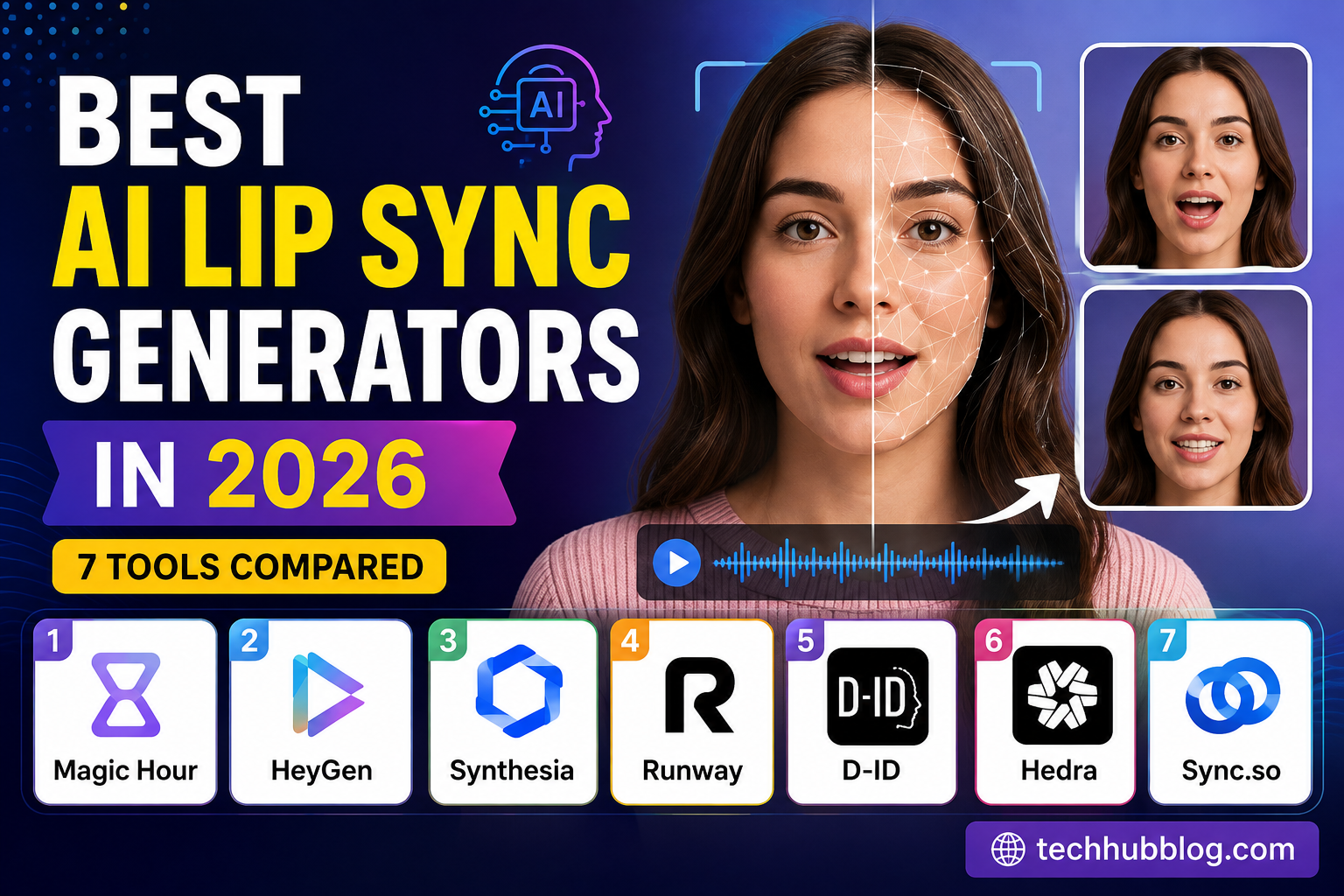
AI lip sync has quietly become one of those things I use way more often than I expected — dubbing a clip, animating a talking photo, fixing dialogue that got re-recorded after the fact. If you’ve tried any of this, you already know the results range from “genuinely impressive” to “why is that mouth doing that.” So I sat down and actually compared seven of the tools people keep bringing up in 2026.
Short answer: if you’re working with real footage, Magic Hour is the one I’d point most creators toward. But HeyGen, Synthesia, Runway, D-ID, Hedra, and Sync.so all do something the others don’t, and depending on your project, one of them might genuinely be the better fit.
We’re past the novelty stage with this category. The tools that matter now handle phoneme timing well, keep facial movement believable, deal with multiple languages, and plug into bigger video workflows instead of standing alone. The real question isn’t “can AI sync lips to audio” anymore — that’s basically solved. It’s which platform actually fits how you work.
Quick Comparison
| Tool | Best For | Main Modalities | Free Plan | API | Starting Price |
|---|---|---|---|---|---|
| Magic Hour | Real footage, flexible creator workflows | Video, audio, images, talking photos | Yes | Yes | Free; Creator $19/mo |
| HeyGen | Avatars, multilingual business video | Avatar, video, audio, text | Limited | Yes | ~$29/mo |
| Synthesia | Corporate training and presentations | Avatar, text, audio | Limited | Yes | ~$30/mo |
| Runway | Creative and cinematic AI video | Video, image, text, audio | Limited credits | Yes | ~$15/mo |
| D-ID | Talking-head and photo animation | Image, audio, text | Trial/limited | Yes | ~$6/mo |
| Hedra | Talking photos and character animation | Image, audio, text | Yes | Yes | ~$8/mo |
| Sync.so | Developer-first lip sync | Video, audio, API | Yes | Yes | ~$5/mo |
Worth noting: pricing and free-tier limits shift often in this space, so double-check current numbers before you build a workflow around any of these.
-
Magic Hour — My Top Pick Overall
The thing that puts Magic Hour at the top of this list isn’t just that its lip sync is good — it’s that lip sync isn’t the only thing it does. It sits alongside face swap, talking photo generation, image editing, and full video creation, all in the same place.
That matters more than it sounds like on paper. A real project usually isn’t just “sync this audio to this video.” It’s generate or edit an image, turn it into a clip, sync the dialogue, maybe produce a few versions to compare. Doing all of that without switching between four different subscriptions and re-uploading files five times is a genuine time save.
It’s also one of the few places where you can just try lip sync ai free without committing to anything first.
What’s good:
- Handles real-footage lip sync really well
- Lip sync, face swap, and talking photos all live in one ecosystem
- Free tier for testing things out
- No signup needed for some workflows
- Credits don’t expire
- Can run multiple generations at once
- API available if you’re building on top of it
- Works fine on desktop or mobile
- Paid plans cover commercial use and higher output limits
- Access to more than one underlying model, not just one locked-in option
What’s not:
- How fast you burn credits depends on the tool, length, resolution, and model you pick
- Heavy volume users will outgrow the free plan quickly
- If all you need is basic lip sync, the extra tools might feel like more than necessary
For anyone who needs solid lip sync but also expects to be doing other AI editing work in the same project, Magic Hour is hard to pass over. It’s the breadth of the workflow that sets it apart, not lip sync in isolation.
Pricing: Free tier available. Creator is $19/month ($12/month billed annually), Pro is $39/month ($25/month annually), and Business runs $99/month or $66/month annually. The tiers mainly differ on credits, resolution, how many generations can run at once, upload limits, and API access.
-
HeyGen — Best for Avatars and Multilingual Dubbing
HeyGen’s strength is avatar-driven video — an AI presenter reading a script, basically. If your project is “I need someone on screen saying these words,” this is built for exactly that.
It’s also genuinely strong for localization. You can produce the same video in several languages while the mouth movements stay in sync, which makes it relevant for training material, sales content, marketing, and anything going out internationally.
What’s good:
- Solid avatar-based workflow
- Handles multiple languages well
- Fits naturally into corporate and marketing use cases
- Voice and avatar features work together cleanly
- API support for automating production
What’s not:
- More built for avatars than for syncing footage of a real actor
- Most of the useful features sit behind a paid plan
- Not really a general-purpose video editor if that’s what you need
HeyGen makes sense when what you actually want is an AI presenter, not synchronization applied to existing footage.
Pricing: Paid plans start around $29/month, though exact costs and usage caps vary.
-
Synthesia — Best for Corporate Training
Synthesia has carved out a solid niche in professional, avatar-based video — the kind of thing companies use for training, onboarding, internal comms, and compliance material.
The whole interface is built around scripted presentations rather than open-ended video editing, which is actually a plus if your team needs to churn out similar-format videos repeatedly.
What’s good:
- Built specifically for business-style avatar video
- Strong fit for training and instructional content
- Clean, professional presentation format
- Supports multilingual production
- Team collaboration features included
What’s not:
- Not very flexible for experimental or creative work
- Avatars take priority over real-footage syncing
- Pricing doesn’t make much sense for someone using it occasionally
If video is a regular part of how your company communicates internally or with customers, Synthesia earns its keep. If you’re an individual creator dabbling occasionally, it’s probably more than you need.
Pricing: Plans generally start around $39/month, with higher tiers built for larger teams needing more collaboration and production capacity.
-
Runway — Best for Creative AI Video
Runway isn’t really a lip sync tool first — it’s a broader AI video platform that happens to include relevant capabilities. Generative video, image-to-video, video transformation, experimental stuff — that’s its lane.
That breadth is exactly why it’s worth including here: for a lot of creative projects, lip sync is just one piece of something bigger, and Runway covers the rest of that territory well.
What’s good:
- Broad generative video toolset
- Great for experimental or cinematic-style projects
- Strong image and video transformation tools
- Works well if you’re combining several AI video techniques
- Multiple models and creative controls to choose from
What’s not:
- Lip sync is a feature, not the main focus
- Credit usage can add up if you’re generating a lot
- If you just want simple talking-video output, this might be more tool than you need
Think of Runway less as a dedicated lip sync app and more as a creative AI video studio that happens to also handle speech and facial animation reasonably well.
Pricing: Starts around $15/month, with credit allowances varying by plan.
-
D-ID — Best for Simple Talking-Head Videos
D-ID’s whole thing is turning a still image, some text, and audio into a speaking digital person. It’s approachable — you don’t need to build out a whole editing workflow to get a presentation-style video out of a portrait.
What’s good:
- Simple, no-fuss talking-photo workflow
- Good for digital presenter-style content
- API available for developers
- Works well for business communication and localization
- Cheaper entry point than most enterprise avatar tools
What’s not:
- Not built for deeper video editing
- Output leans heavily toward the “presenter” style
- If you want real creative control, look elsewhere
D-ID is a practical, no-drama option when you’re starting from a still image and just need it talking.
Pricing: Entry pricing is roughly $6/month, with usage and commercial rights depending on the plan.
-
Hedra — Best for Talking Photos and Character Animation
Hedra is built around character-driven video — starting with a still character, illustration, or portrait and bringing it to life as a speaking subject. If your starting point is an image rather than footage, this is worth a look.
What’s good:
- Strong at animating characters from stills
- Good fit if you’re working from illustrations or portraits
- Useful for social content and quick experiments
- API access available
- Free tier to test before committing
What’s not:
- Not focused on editing footage you already shot
- Character animation matters more here than traditional post-production
- Paid credits kick in fast for bigger projects
Hedra earns its spot when your starting material is an image, not a video recording.
Pricing: Entry plans have generally started around $8/month, with more credits and features unlocked higher up.
-
Sync.so — Best for Developers
Sync.so takes the opposite approach from most of this list — it’s not really built around a polished creator interface, it’s built around the API.
That makes it the natural pick for developers who want to bake lip sync directly into an app, a content pipeline, or some other automated system rather than doing everything by hand in a browser.
What’s good:
- API-first, built for integration from the ground up
- Genuinely developer-friendly
- Good for automated, hands-off video generation
- Handles batch processing well
- Cheap to start experimenting
What’s not:
- Not much of a standalone creative editor
- You’re on the hook for building the integration yourself
- Creative controls are narrower than the all-in-one platforms
If you’re building a product rather than manually making videos one at a time, having solid API access matters a lot more than a big list of creative tools — and that’s exactly what Sync.so leans into.
Pricing: Entry pricing has been around $5/month for hobbyist-level use, with higher tiers for production needs.
How AI Lip Sync Actually Works
At a basic level, the system listens to an audio track, figures out what facial movements go with those sounds, and then reshapes the mouth — and in the better tools, the surrounding face too — so it matches what’s being said.
Roughly, the process looks like this:
- Upload a video or image.
- Provide the audio — recorded or AI-generated.
- The model breaks the audio down by timing and phonemes.
- It generates the facial movement to match.
- Everything gets rendered together.
- You review it and export.
The hard part was never just “move the lips.” It’s keeping the timing right, keeping the face consistent frame to frame, handling head movement, lighting, teeth and tongue visibility, and not losing the person’s actual likeness in the process.
How I Actually Judged These
I didn’t just go by marketing copy — I looked at five practical things.
Accuracy first: does the mouth move at the right moment, and do different sounds actually look different?
Flexibility of source material: can it handle real footage, still images, avatars, or a mix?
How many steps it takes: getting from raw material to a finished video shouldn’t require a dozen detours.
Value for the price: how much usable output do you actually get for what you’re paying?
Developer support: if you need automation or batch processing, does an API even exist?
Which of these matters most really depends on who you are. A corporate comms team and a solo creator making short-form video are going to land on completely different answers here, and that’s fine.
Where This Space Is Heading in 2026
The big trend right now is consolidation. AI media platforms keep folding lip sync in alongside image generation, video generation, face swapping, voice tools, and general editing — instead of staying a single-purpose feature.
That changes how you should be evaluating these tools. The question isn’t “does it do lip sync” anymore — it’s “does it support the whole workflow around the lip sync.”
A pretty common pattern now: start with an image made in an [ai image editor], animate it into video, then sync it with dialogue. Or go the other way — edit existing footage first, sync it afterward.
APIs are becoming a bigger deal too. Developers want the same features available in the web app to also be callable in code. Magic Hour’s documentation, for example, includes a Lip Sync API right alongside its other generation endpoints.
Credit-based pricing is also just becoming the norm across the board — instead of unlimited rendering, you get a pool of credits that gets used up based on video length, resolution, model choice, and processing load.
Which One Should You Actually Pick?
Here’s the quick version:
- Magic Hour — flexible creator workflows, real footage, lip sync plus a broader AI media toolkit
- HeyGen — multilingual avatar presentations
- Synthesia — corporate training and structured business video
- Runway — cinematic, experimental AI video work
- D-ID — simple talking-head videos
- Hedra — image-based character animation
- Sync.so — API-first integration
Honestly, the “best” tool is whichever one matches your source material and how you actually work — not necessarily the one with the longest feature list.
Bottom Line
AI lip sync isn’t a novelty anymore — it’s a real part of modern video production. The good tools sync speech to faces convincingly enough for social content, education, localization, marketing, character work, and automated pipelines.
Magic Hour tops this list for me because it pairs solid lip sync with a much wider set of AI creation tools, and it works whether you’re experimenting or actually producing content at scale. There’s a free tier to start, and the Creator plan at $19/month (or $12/month annually) keeps it accessible if you’re not a huge studio.
That said, it’s not automatically the right call for everyone. Corporate teams leaning heavily on avatars will probably prefer HeyGen or Synthesia. Developers building something programmatic should look hard at Sync.so. Cinematic, experimental creators might get more out of Runway.
My actual advice: pick a short clip, run it through two or three of these, and compare — mouth timing, how consistent the face stays, render speed, how many credits it burns, and how much cleanup you need afterward. Five minutes of testing tells you more than any comparison article, including this one.
FAQ
What’s the best AI lip sync generator in 2026? Magic Hour is a strong overall pick if you need lip sync alongside other AI video and image tools. HeyGen and Synthesia fit better for avatar-based business content, and Sync.so is aimed squarely at developers.
Can AI lip sync actually work with real video, not just avatars? Yes — several of these tools can sync new dialogue to existing footage, which is what makes them useful for dubbing, localization, and replacing or fixing dialogue after the fact.
Is there a free AI lip sync tool out there? Yes. A few platforms offer free credits, trials, or limited free plans — Magic Hour currently has a Free tier, while others run more restricted trials. These limits change often, so it’s worth checking before you start a project around one.
Is a “talking photo” tool the same thing as lip sync? Not quite. A talking photo starts from a still image and generates the facial movement from scratch, while traditional lip sync usually starts with existing video and just adjusts the mouth to match new audio. Some platforms do both.
What should I actually test before picking one? Sync accuracy, how well it handles your audio, how realistic the face looks, render speed, resolution, watermarks, how fast you burn credits, commercial usage rights, and whether there’s an API. Those matter a lot more in practice than whatever’s listed on the pricing page.
As of August 2026, it’s probably most useful to think of AI lip sync as one piece of a bigger content pipeline rather than a standalone trick — the platforms worth using are the ones that let you move smoothly from raw material to something synced, editable, and actually ready to publish.